 xOTT
xOTTxOTT Play
Give subscribers a clean browser player for channels, entitled events and published on-demand media.
On this page
Open and sign in
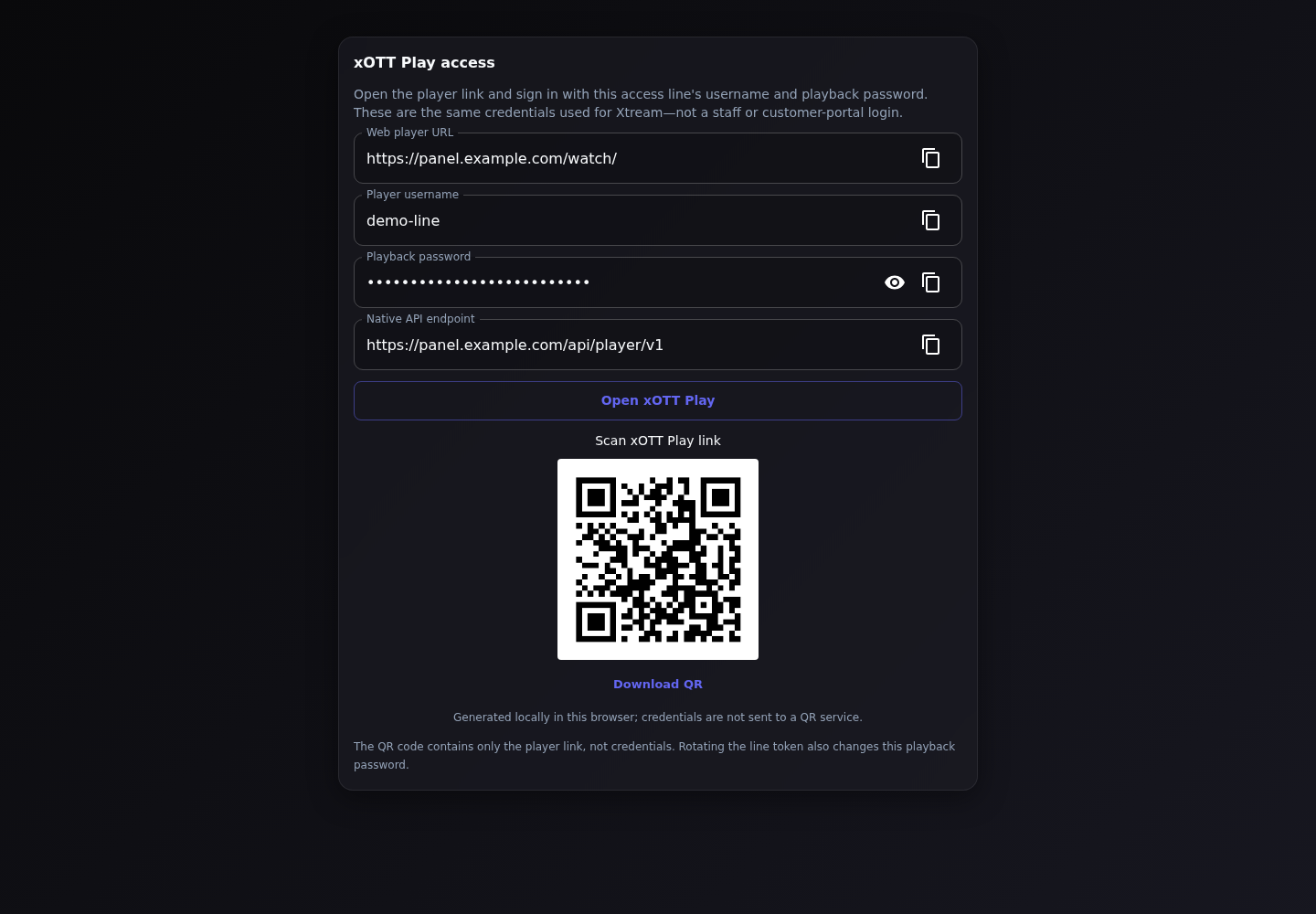
- Open an Access Line’s native player access information. Use its generated player address, normally the panel’s
/watch/path. - Sign in with the Access Line username/password. Staff, reseller and provider credentials are different.
- Check the Welcome screen, Live TV, Events and Library sections allowed by that subscription.
- Play one channel and inspect its guide. Upcoming events may be visible before playback is allowed.
HTTPS and explicit HTTP compatibility
HTTPS is the production default. If an operator must support a direct HTTP installation, Settings → Security → Allow xOTT Play login over HTTP is an explicit compatibility setting. It does not add transport encryption. Do not use the exception as a reason to expose credentials over untrusted networks.
Remembered browser login uses the secure web-auth path on HTTPS. HTTP cannot be assumed to provide the same persistent secure-cookie behavior. An HTTPS player also needs compatible HTTPS media origins to avoid mixed-content failures.
Useful player preferences
| Section | Available behavior |
|---|---|
| Playback | Adaptive HLS quality preferences, preferred languages and subtitles when supported. Does not transcode a single-quality stream. |
| Appearance | Logo background: dark, light, transparent or custom colour. An embedded background inside a logo cannot be removed by this setting. |
| Browsing | Opening page, channel ordering, time format and programme time zone. Time-zone presentation does not reschedule events. |
| About | Player version and relevant information. |
Settings are not a substitute for the operator publishing the correct tracks. If the source/output only carries one quality or language, the player cannot invent alternatives.
Phones, tablets and televisions
The web player is responsive and includes browser/fullscreen fallbacks. Native video fullscreen behavior varies on iPhone and other devices. Test the actual browser and codecs before deployment. A responsive website is not a certified Android TV, Tizen or set-top-box application.
When a session ends
Connection limits, operator termination, expired subscriptions, revoked devices or invalid playback grants can stop playback. Preserve the displayed reference and time when reporting it. Repeated sign-ins are not a durable fix for an entitlement or session-policy problem. The player should release its lease on normal exit and keep active playback renewed while watching.
Events and on-demand availability
Native events can be granted directly without stable slots. Movies, series and recordings must have authorized published playable assets. The player can display favourites and continue-watching information that remains authorized. It does not currently expose a personal DVR scheduling API.