 xOTT
xOTTDashboard, monitoring and logs
Read fresh operational evidence, distinguish sessions from outputs and diagnose the actual failing layer.
On this page
Start with the dashboard
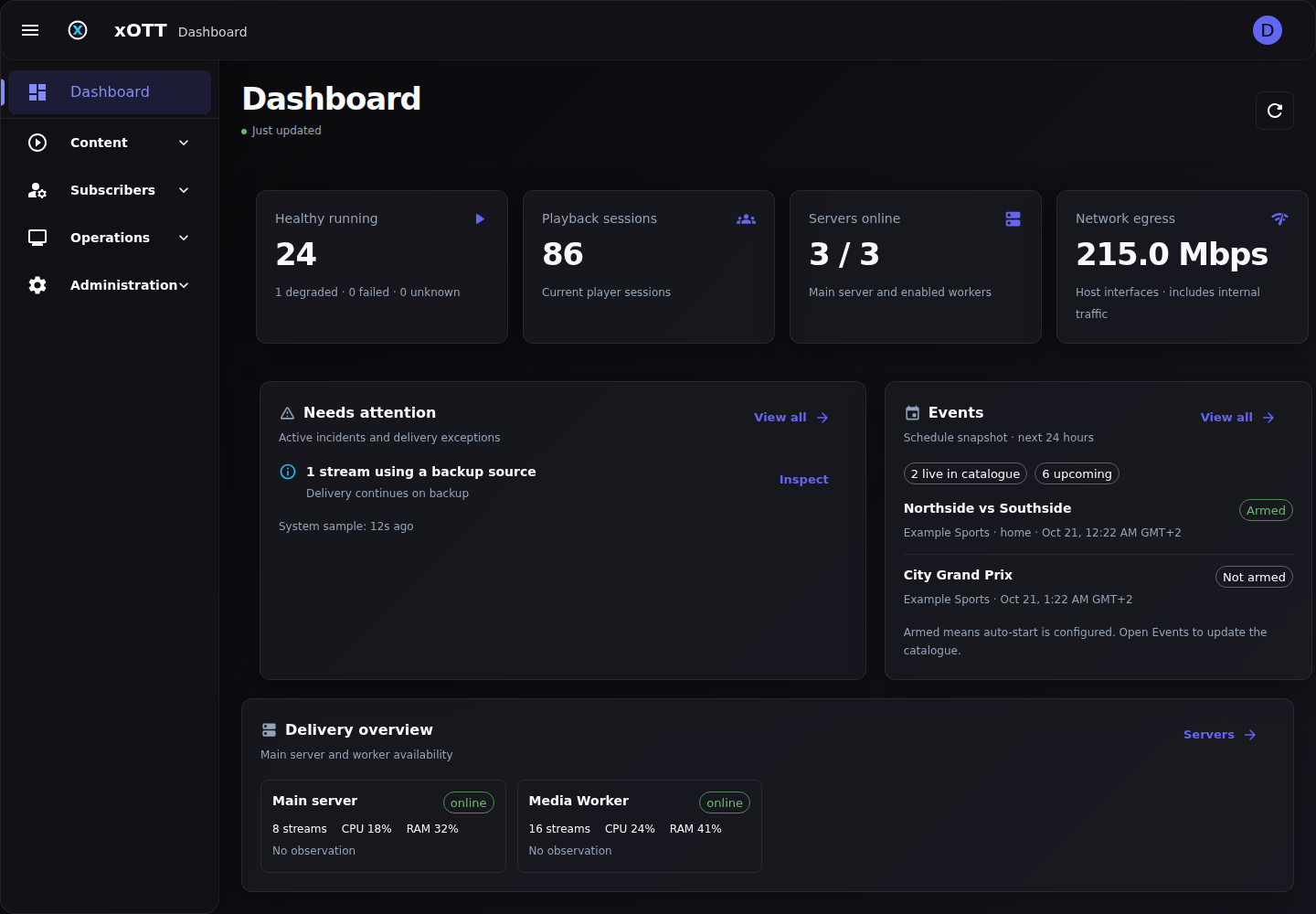
The dashboard summarizes healthy running streams, sessions, egress, fleet availability, incidents, events and role-permitted subscriber/media work. It refreshes operational observations without forcing provider catalogue discovery. Partial/stale indicators mean some information is missing or older, not that the omitted systems are healthy.
Use the right Monitoring tab
| Tab | Question it answers |
|---|---|
| Overview | How are hosts, resources and delivery behaving? |
| Stream Health | Which runtime is running where, what is measured, and what failed? |
| Active Sessions | Which authenticated playback activity is observed? |
| Transport & Audio | How are transport outputs and audio processing behaving? |
Expand details or open Logs when the summary needs explanation. Monitoring and Servers & Workers share telemetry; repeated manual refresh does not create measurements that an offline worker has not reported.
What the numbers mean
- FPS is measured cadence when available, not the provider’s advertised frame rate. A fresh sample takes time.
- Bitrate units matter: bits per second, Kbps and Mbps are not interchangeable.
- CPU may be process-scoped or host-level according to the field; compare like with like.
- Restarts and last errors reflect the relevant runtime history. Unknown/unavailable data should not be treated as a real zero.
- Host network counters include other traffic on selected interfaces; application session accounting does not automatically attribute every packet on the NIC to a subscriber.
Sessions are not the same as sockets or multicast receivers
A player can make many HLS requests in one viewing session. One access line can have more than one active channel where limits allow. UDP output is a feed, not a logged-in viewer. Do not compare UDP destination count, HTTP connection count and subscriber session count as if they are the same metric.
Keep logs useful
The stream/event log action is useful even when the stream is inactive. Use the Logs page for broader filtering. Capture the exact time, channel identity, processing node, requested operation and error/reference. Avoid sharing bearer tokens, license requests, passwords, proxy URLs or subscriber playlist tokens.
sudo journalctl -u xott -n 100 --no-pagerController log retention is not media retention; worker logs remain node-local. A table state can lag the runtime during a pending start/stop/recovery, so check current ownership before deleting or migrating a source.
A practical playback diagnosis
- Check whether input probe fails or only output playback fails.
- Identify the actual processing node and its routing/proxy—not just the controller’s public address.
- Check upstream status codes, timing, DNS/connectivity and packet loss without assuming the script is guilty.
- Inspect output freshness, timestamp continuity and selected tracks. A running process is not proof of good A/V.
- Compare the same source/output in another client to separate decoder behavior from server media defects.
- Change one variable at a time and retain before/after evidence.